Dungeon Diary
PricingChangelogRoadmapDocsToolsBlog
Sign inJoin the Beta
Dungeon Diary

A campaign workspace for D&D 5e Dungeon Masters. Built by one DM, in public.

GitHubDiscordBlueskyBlog

Product

  • For DMs
  • For Players
  • AI Assistant
  • Pricing
  • Changelog
  • Roadmap

Resources

  • Docs
  • Tools
  • Build log
  • 5e SRD
  • API
  • Status

Company

  • About
  • Contact
  • Hiring

Legal

  • Terms
  • Privacy
  • Acceptable use
  • AI policy
© 2026 OneNomad LLCCompatible with D&D 5e. Not affiliated with Wizards of the Coast.

Docs

Getting started

QuickstartDemo accountYour first campaignInviting players

Worldbuilding

Entity typesCharactersNPCsRegionsSettlementsPoints of interestFactionsDeitiesItemsLong-form loreQuestsShopsTimelineMaps & pinsImage editorMedia libraryGM-only & cascading@-mentions & backlinks

DM Assistant

How the AI knows your worldSave-card flowBring your own keyData & training policy

Live play

Combat trackerEncounters & scenesSession recording & recapDice tray notation

Player experience

The player app (/play)Players in combat

Library

HomebrewInventoryLoot tablesSRD reference

Reference

Keyboard shortcutsMarkdown referenceExporting your dataAPI

Documentation

Quickstart

Two minutes to a working campaign.
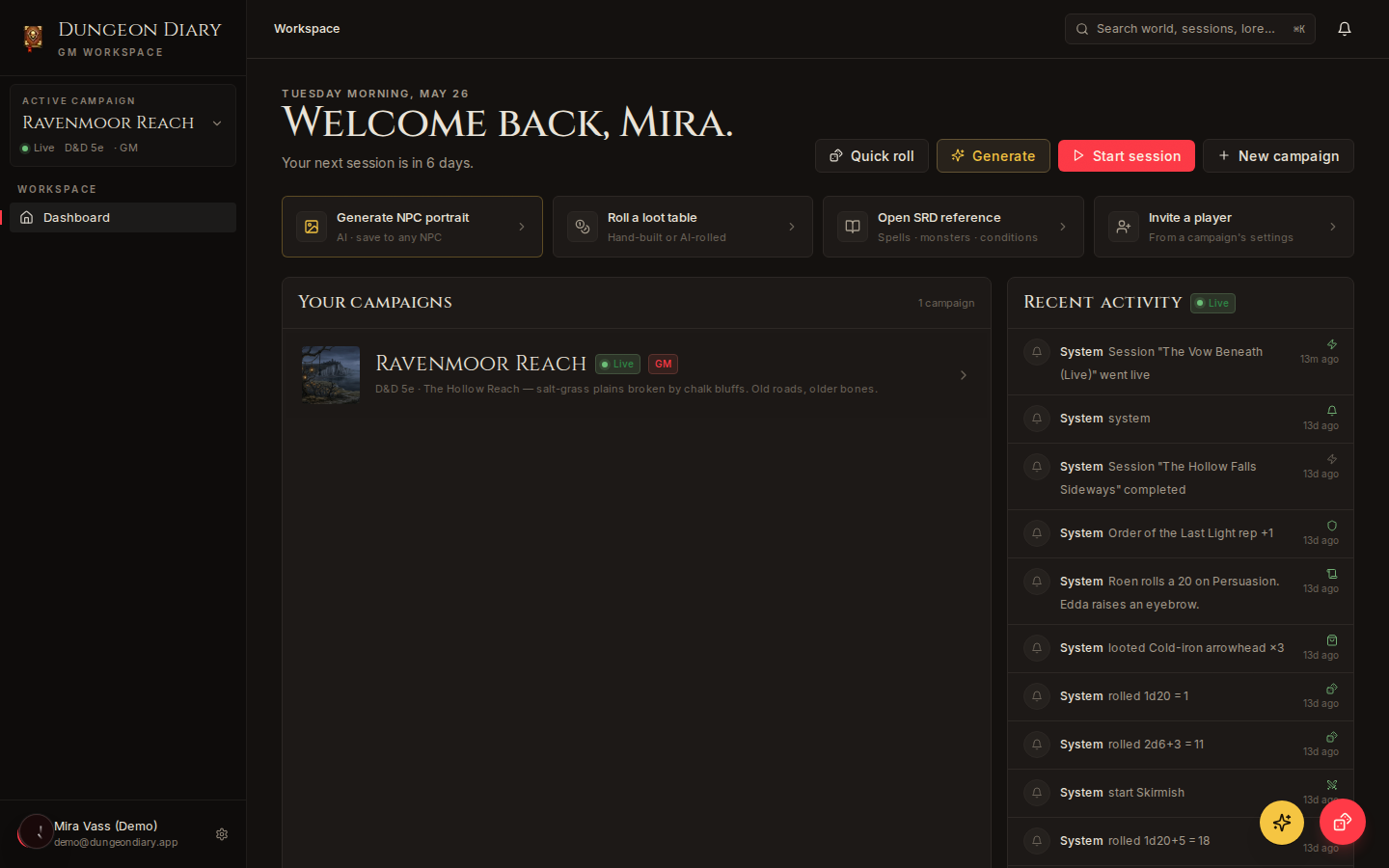
Dungeon Diary dashboard showing campaigns list
The dashboard — your starting point.

1. Make a campaign

Click New campaign on your dashboard. Give it a name and a system (5e is default). You can change either later.

2. Add your first NPC

Go to World → NPCs → + New. Fill what you know — name, role, settlement. Click ✦ Draft with AI to fill the rest from a one-line prompt.

3. Invite a player

Open Settings → Members, paste an email, send the invite. They get a magic link. You assign them to a character — or leave the seat Unassigned for now.

4. Run a session

Click Start session on your dashboard. Open the combat tracker when you need it. Dice rolls land in the session log. The AI watches and offers a recap when you end the session.

That's it

The rest of the docs are reference. Come back when you want to know how visibility cascades work, or how to bring your own Anthropic key.